
How to topup your PBX
Rapidnet offers a UC PBX service that is billed monthly. However, phone calls are paid for via a prepaid balance, allowing you to better control your call costs. You can also set a low balance warning to receive an email or SMS notification when your balance falls below a specified amount.
Here’s how to add credit to your PBX for calls:
Log in to my.rapidnet.co.za.
Once logged in, you will see the "Rapidnet Voice - Your Business Voice Panel."
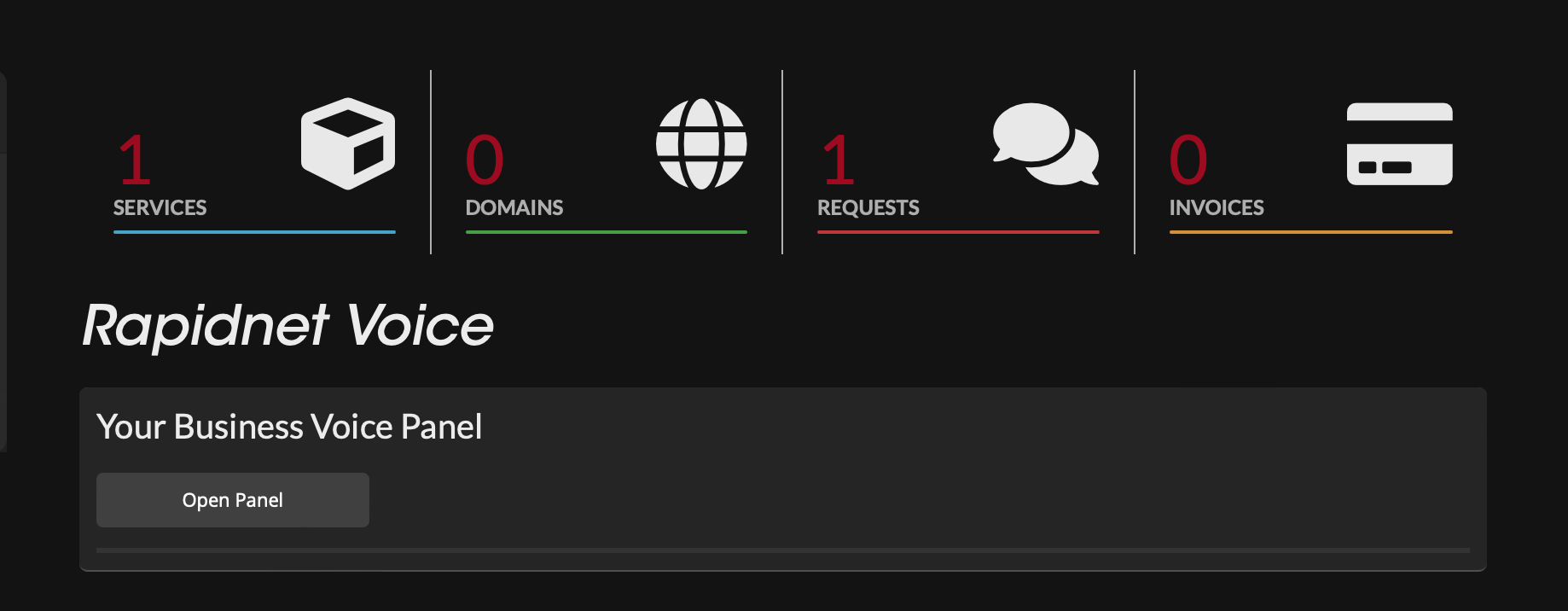
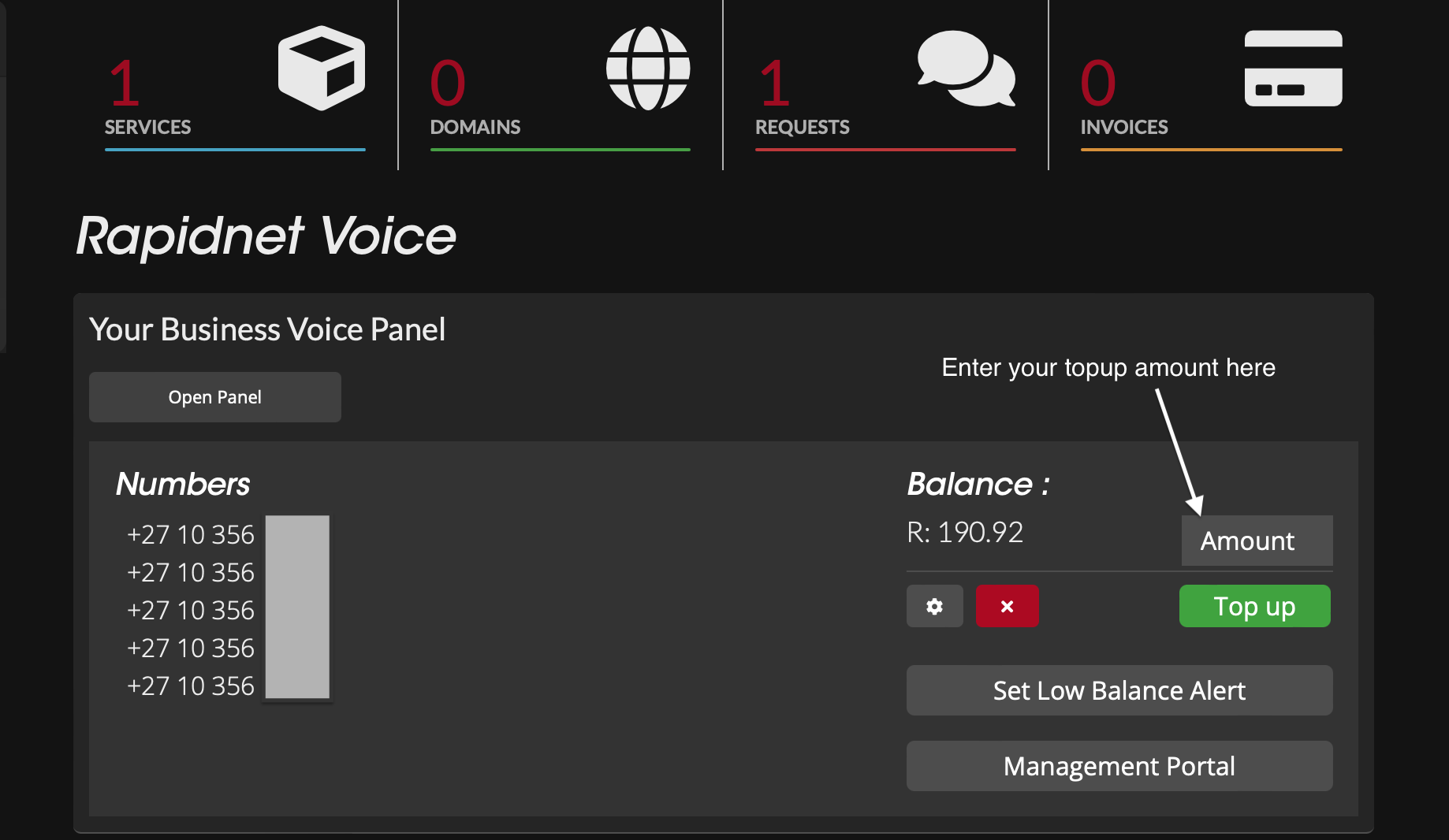
Click the "Open Panel" button. This will display your allocated numbers (excluding any ported numbers), your current balance, a "Top Up" button, and a "Set Low Balance Alert" button.
Above the "Top Up" button, you’ll see a field labeled "AMOUNT." Enter the amount you’d like to add to your call credit (e.g., 1000 for R1000).
Click the "Top Up" button.
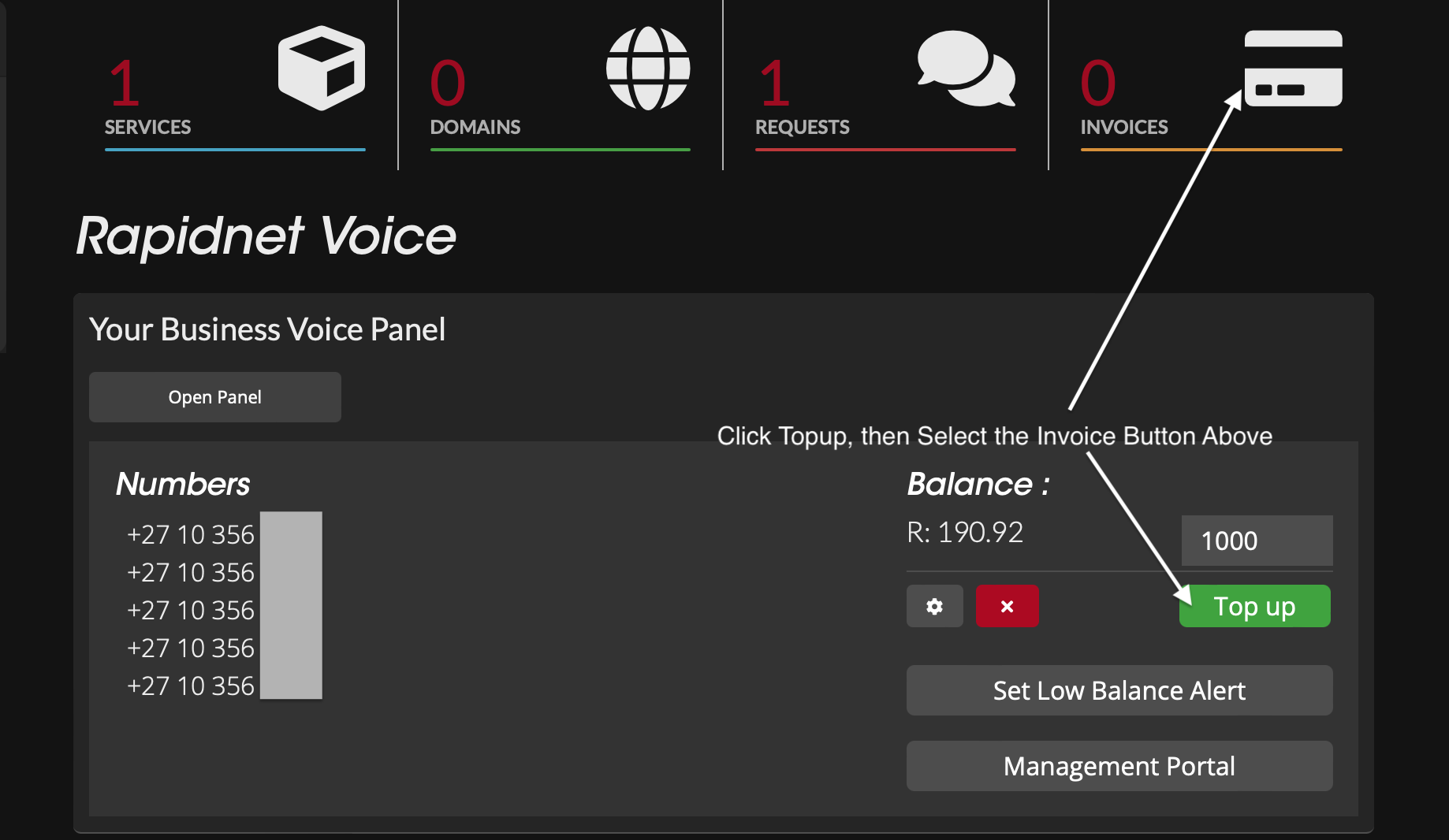
An invoice will be generated. You can pay the invoice by clicking the Invoice Icon on the screen or from the email that will be sent to you.
Upon successful payment, the credit will be added to your PBX balance.
You will receive an email with the invoice and a link to make payment if needed.
