
How to pay via 1Voucher / Flash
If you would like to make payment for any of your services using a Voucher Payment you can do so via 1Voucher and Netcash Pay Now.
Once you have logged into your account on My Rapidnet You will see an Invoices Box, if there is a due invoice it will have a number next to it

Once you click on the Invoices Icon you will see a list of invoices including Unpaid Invoices. Click on the unpaid invoice
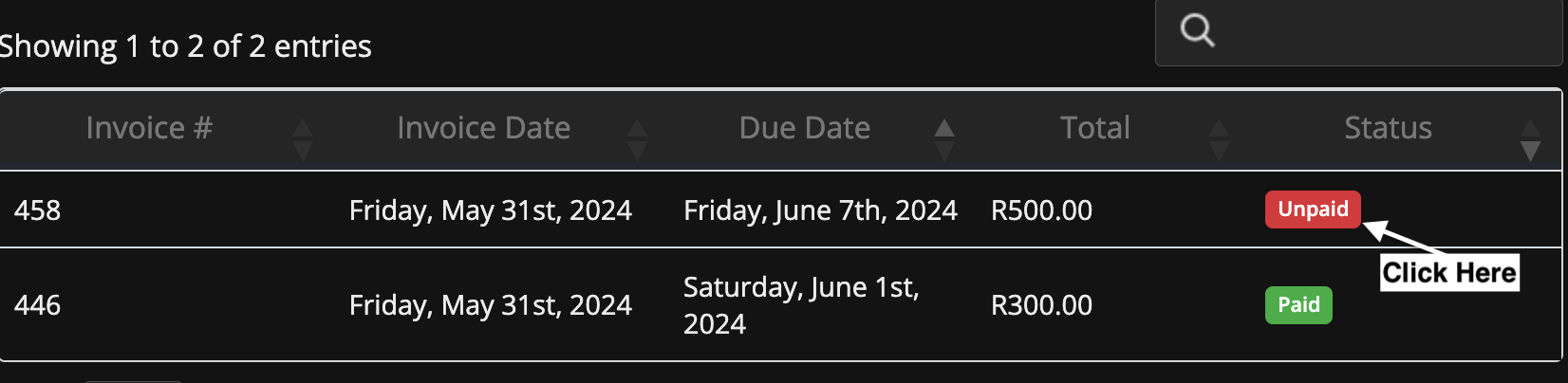
Now you will see the invoice, and its details including your name, the due date etc.
The next step is to select "Netcash Pay Now" Next to Payment Method, Then click "Pay via Netcash"

Now you will be taken the the Netcash payment site. The next step is to select 1Voucher from the list of options.
At the top of the Screen you will see your details, you can just scroll down and select 1Voucher

Then Click on 1Voucher

Now you will be taken to the 1Voucher page. Fill in your mobile number and type in your voucher number, Follow any other prompts as needed.

On Successful payment you will be redirected to your Invoice, It will show PAID now

Lastly at the bottom of the invoice if you scroll down you will see a "Back to Client Area" link, if you click that you will return to your My Rapidnet Dashboard

