
Are you ready to establish your online presence with a new domain? Let's walk through the process of registering a domain on My Rapidnet:
-
Accessing the Domain Registration Section
- Log in to your My Rapidnet account using your credentials, You can also login or create your account later.
- Once logged in, navigate to the "Store" section from the main menu.
-
Search and Select Your Domain
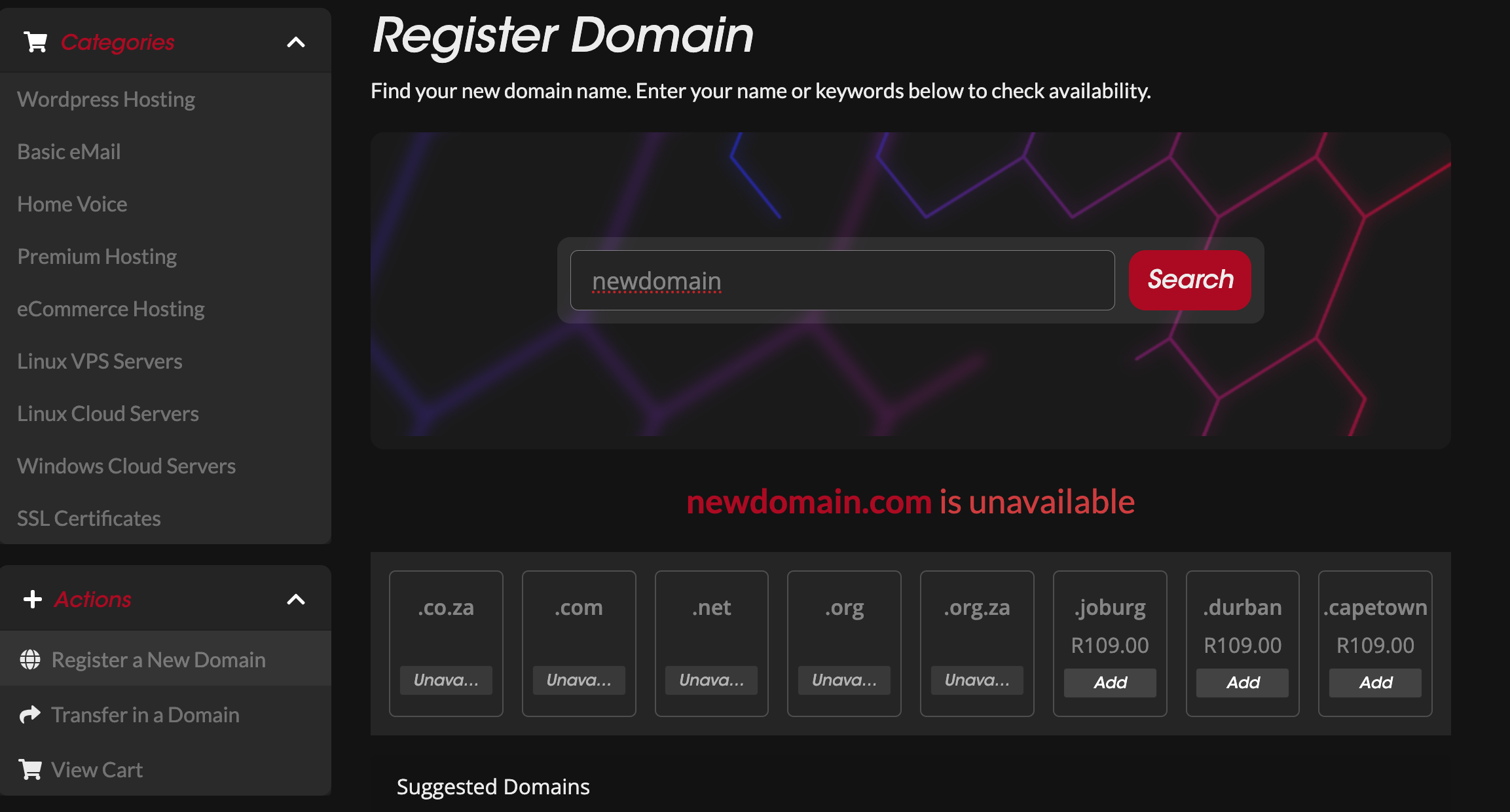
- In the "Store" section, locate and click on the option to "Register a New Domain."
- On the domain search page, enter the desired domain name into the search field and click "Search."
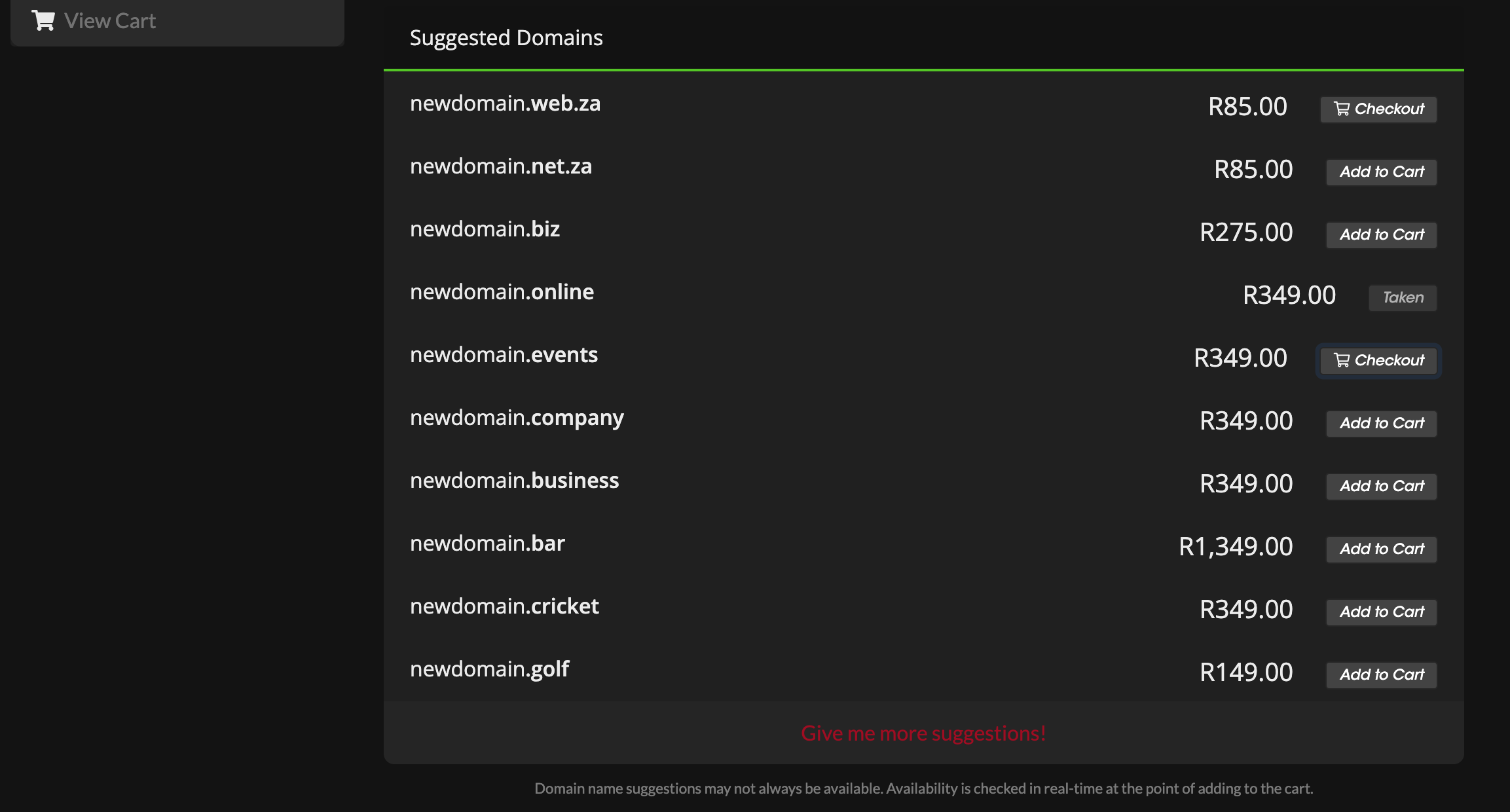
- Review the search results to check the availability of your desired domain name. You'll also see the pricing details displayed alongside each available domain option.
- To add a domain to your cart, simply click the "Add to Cart" button next to the desired domain.
-
Proceed to Checkout
- After adding the desired domain(s) to your cart, click on the "Checkout" button located next to the domain you wish to register.
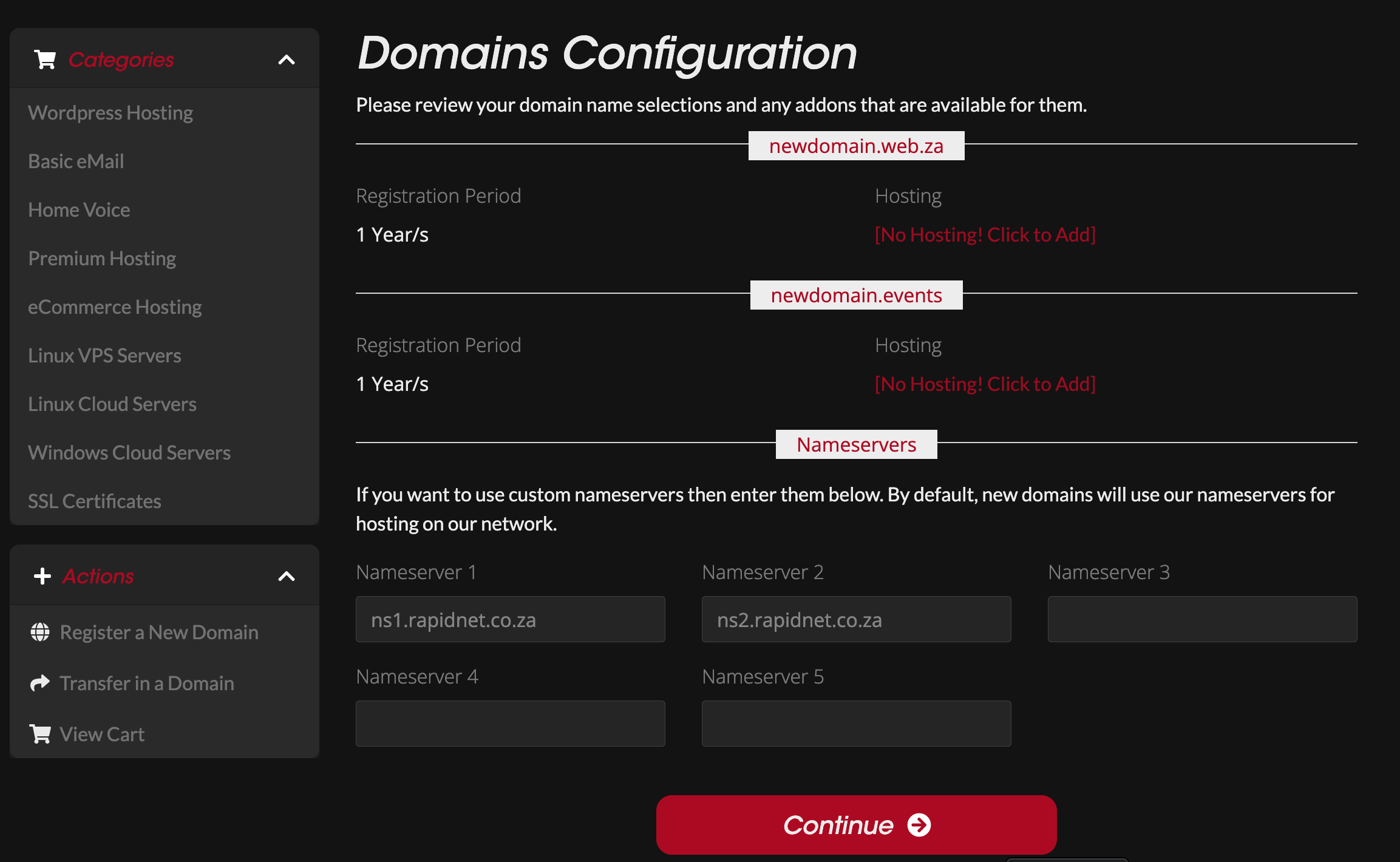
- You'll be directed to the checkout page, where you can review the domain details and select additional options if needed, such as hosting packages.
- Once you're ready to proceed, click on the "Continue" button to move to the next step.
-
Finalise Your Order
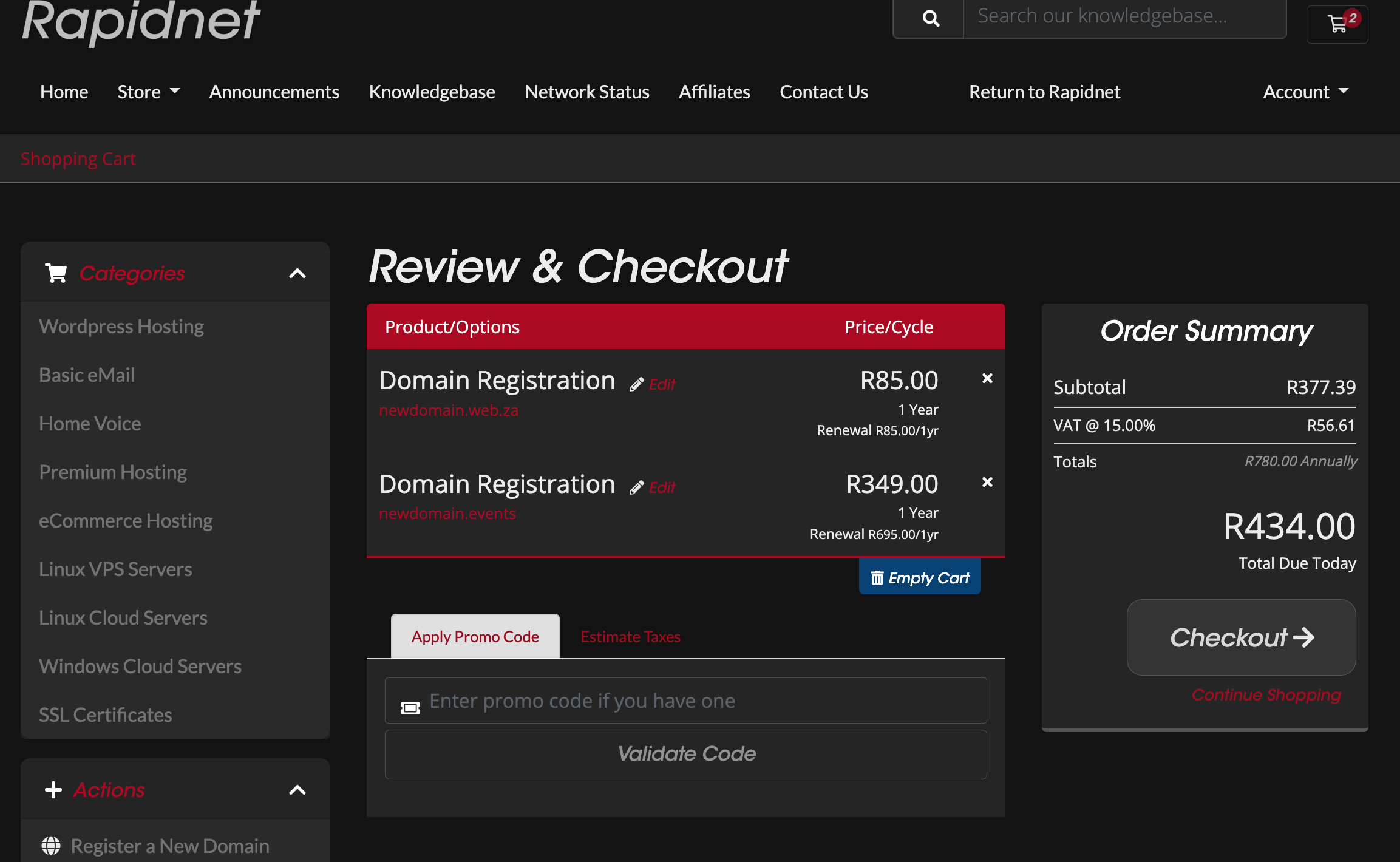
- On the checkout page, review your order summary, including the selected domain(s) and any additional services.
- Confirm the total cost, including VAT, before proceeding.
- Click on the "Checkout" button to proceed with the registration process.
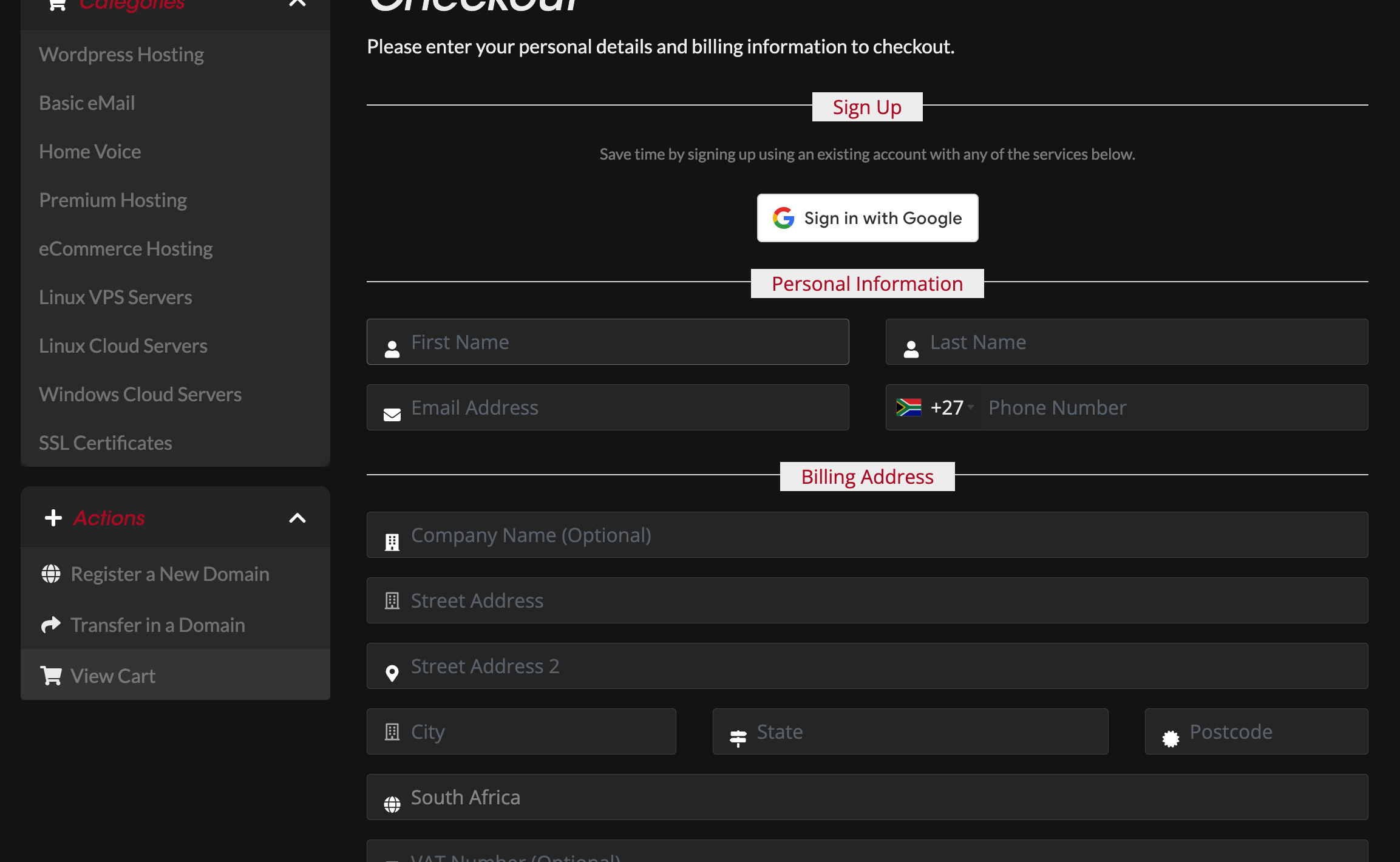
-
Account Creation or Login
- If you're a new client, you'll need to create an account by filling out the required information, including your name, email address, and password.
- Existing clients can simply log in to their My Rapidnet account using their credentials.
-
Select Payment Option
- Choose your preferred payment method from the available options provided. Common payment methods may include Pay Now (Netcash), Payfast, or others.
- Optionally, you can choose to subscribe to our mailing list for updates and promotions.
-
Proceed to Payment
- Once you've selected your preferred payment method, click on the "Continue" button to proceed to the payment gateway.
- Follow the prompts to complete your payment securely.
-
Confirmation
- After your payment is successfully processed, you'll receive a confirmation email with details of your domain registration.
- Your domain registration is now complete, and you're ready to start building your online presence!
Congratulations! You've successfully registered your new domain on My Rapidnet. If you encounter any issues during the registration process or have any questions, our support team is available to assist you.
